Permissions
Deeplake authorizes every action against two scopes (organization and workspace) and three access levels (viewer, writer, admin). Understanding the shape of both is the whole model.
Access levels
| Level | Can | Cannot |
|---|---|---|
| Viewer | Read data (SELECT queries, SDK reads, download bytes), list tables, view schema | Modify tables or data, manage members, manage managed credentials |
| Writer | Everything a viewer can, plus INSERT / UPDATE / DELETE, CREATE and DROP tables, commit and branch datasets | Invite or remove members, change roles, delete a workspace |
| Admin | Everything a writer can, plus invite and remove members, change other members' roles, create and manage managed credentials, register workload identities, delete workspaces | (no restrictions within this scope) |
The three levels are cumulative. An admin can always do what a writer can, and a writer can always do what a viewer can.
Scopes
Every access grant is attached to a scope:
| Scope | Grants apply to | Set from |
|---|---|---|
| Org | All workspaces in the organization | The org-level Permissions and Access page |
| Per-workspace | One specific workspace only | The workspace's Edit permissions dialog |
Both scopes use the same three access levels. An org-scoped viewer sees every workspace as a viewer. A per-workspace writer has writer access to exactly that workspace and no others.
Scope precedence
Org-scope grants shadow per-workspace grants for the same user. You cannot make an org-scope admin a viewer on one specific workspace by editing the workspace member list. The org grant wins, which is why the workspace member table shows the Org-badged rows as read-only.
Managing org-scope members
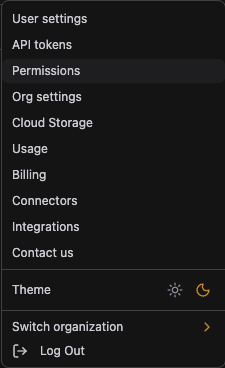
Org-scope grants sit on the Permissions and Access page. Open it from the user menu in the top-right of the app.
The page has two sections: workspace members (the grants that affect this org's workspaces) and workload identities (see the Workload Identities page).
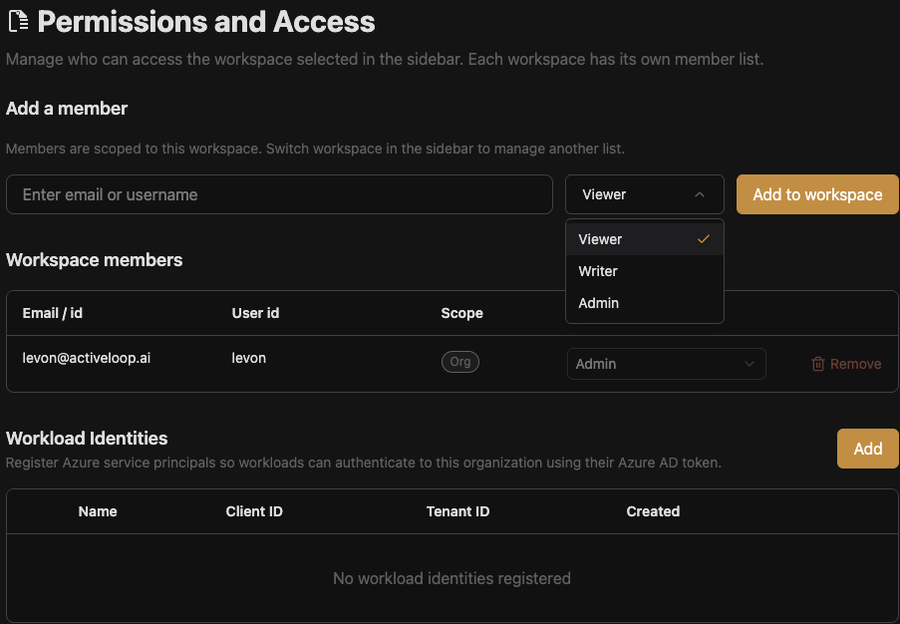
To add an org-scope member, type an email or username in the Add a member field, pick the level from the dropdown, and click Add to workspace. The new row shows up under Workspace members with the Org scope badge.

Only org admins can add, remove, or change org-scope members.
Managing workspace-scope members
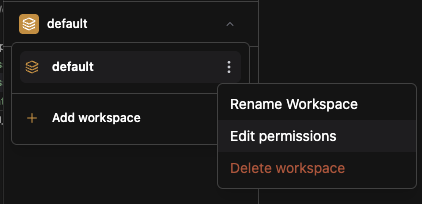
Workspace-scope grants are edited from the workspace picker. Open the workspace switcher, hover the workspace, click the three-dot menu, and pick Edit permissions.
The Permissions dialog for the workspace lists all members who can access it, regardless of scope:
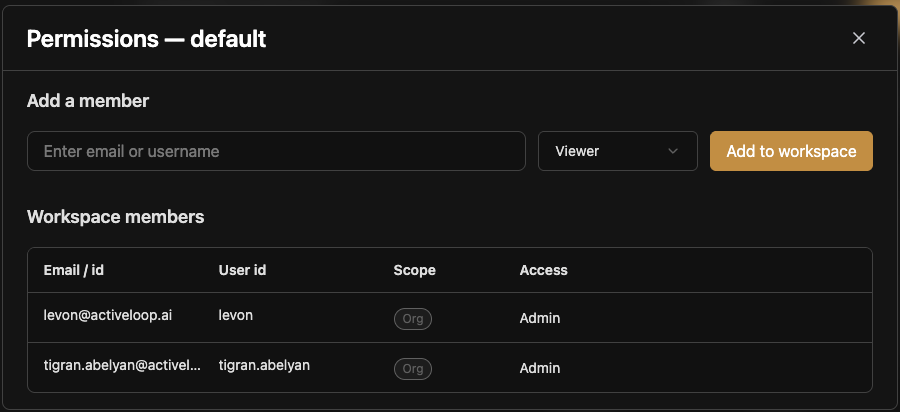
Rows with the Org badge are read-only here. They're inherited from the org grant and can only be changed on the org page. Add a per-workspace member by typing an email, picking a level, and clicking Add to workspace:
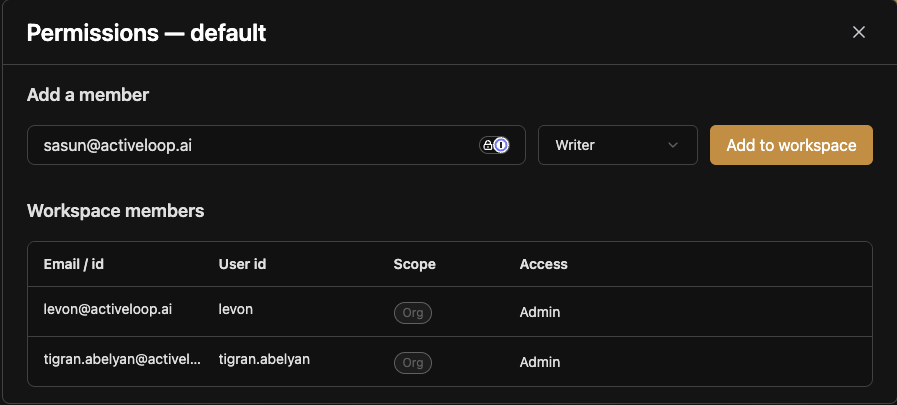
After the add, the new member appears with the Per-workspace badge and an editable role dropdown. Per-workspace members can be removed at any time. Removing them only revokes their access to this workspace, not to the organization overall.
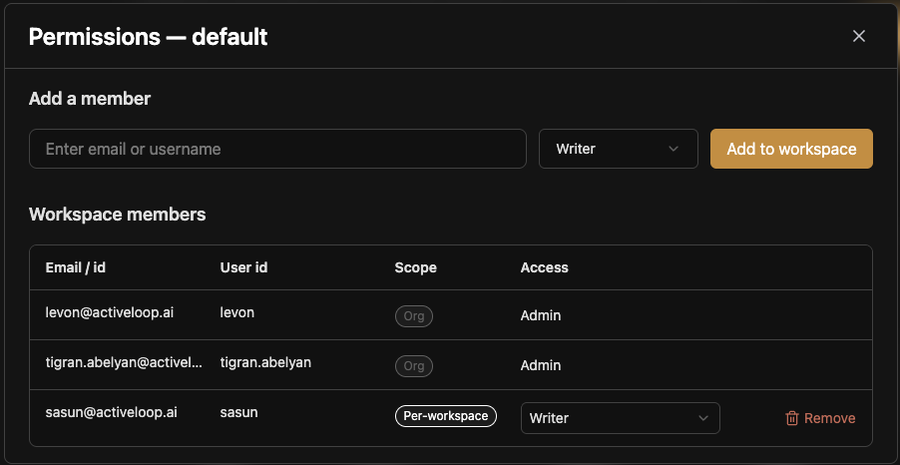
Both org admins and workspace admins can add or remove per-workspace members for that workspace. Only org admins can act on org-scope grants.
How it maps to API and SQL
The UI grants translate to server-side checks at every request. You do not need to configure anything for these to fire: the access level attached to your account decides what the server accepts.
- Read paths (SELECT queries,
deeplake.open(), dataset reads) need at least viewer on the workspace's org. - Write paths (INSERT,
client.ingest(), commits,deeplake.copy()into anal://destination) need writer. - DDL and lifecycle (CREATE / DROP TABLE, managed credential create, workload identity register, member changes) need admin.
The check runs in the auth middleware before any SQL reaches pg-deeplake. A viewer trying to run INSERT gets a 403 response with error_code: "permission_denied", not a partial write.
Managed credentials
A managed credential is a shared, workspace-scoped resource. Any viewer in a workspace can read the underlying storage through it, and any writer can write. That is why credentials exist: end users do not need per-user cloud IAM.
Credentials are only created and edited by org admins, and are configured per cloud. See the setup guides for each provider:
If you need finer-grained access than "everyone in this workspace can read the bucket," restrict at the credential level. Use a scoped IAM policy or SAS scope so the credential itself can only see a subset of the bucket, or bind different credentials to different workspaces and use workspace-scope grants to segment users. There is no per-table GRANT or REVOKE inside a workspace.
Programmatic identities
Workloads (CI jobs, K8s pods, Azure Functions) authenticate as workload identities, not as users. A registered workload identity gets the same viewer / writer / admin surface described above, applied against its org grant. See Workload Identities for setup and the SDK usage pattern.